
Preparing a meet
Create meets, import Hy-Tek/MDB/Lenex/PDF/Dolphin files, review merges, configure folder watching, teams, records, and scoring.
Set up your meet schedule, rosters, records, and team scoring before warm-ups begin.
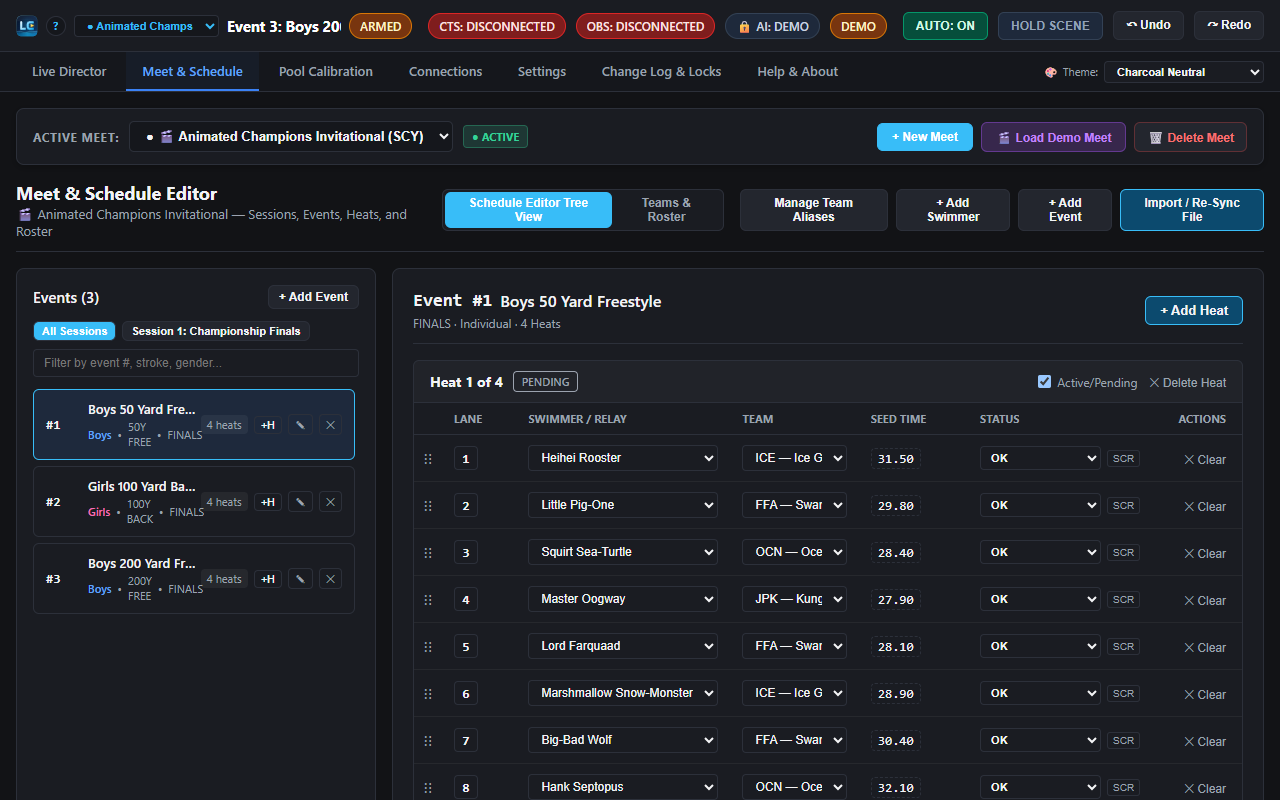
Creating a meet #
- Open the Meet & Schedule tab.
- Click + New Meet to create a blank meet, or click 🎬 Load Demo Meet to explore with built-in sample data.
- Use the meet dropdown in the top status bar to switch the active meet at any time.
Supported import formats #
LaneCue imports entries, heat sheets, splits, records, and results from Hy-Tek Meet Manager, USA Swimming SDIF, Lenex, Dolphin, and generic delimited files:
| Extension | Format & Notes |
|---|---|
.hy3 |
Hy-Tek Meet Manager entries & results (HY3, Windows-1252) |
.cl2 |
USA Swimming SDIF v3 results (CL2) |
.sd3 |
USA Swimming SDIF v3 entries & results (SD3) |
.hyv |
Hy-Tek Meet Manager event list (HYV) |
.ev3 |
Hy-Tek Meet Manager events (EV3) |
.mdb |
Hy-Tek Meet Manager Access database (Jet 4.0, pure TypeScript reader) |
.zip |
Compressed archive containing any supported meet, Hy-Tek, Lenex, or Dolphin files |
.pdf |
Hy-Tek Meet Manager heat sheet or results PDF (coordinate parser + paid BYOK Gemini fallback) |
.txt |
Dolphin stopwatch export or generic delimited diving sheet |
.lef |
Lenex XML meet file (LEF) |
.lxf |
Compressed Lenex archive (LXF) |
.csv |
Delimited meet or diving table CSV |
.htm |
Hy-Tek Meet Manager HTML real-time results |
.html |
Hy-Tek Meet Manager HTML real-time results |
.do3 |
Dolphin timing export (DO3) |
.d03 |
Dolphin timing export (D03) |
.do4 |
Dolphin timing export (DO4) |
.d04 |
Dolphin timing export (D04) |
- Hy-Tek
.mdbdatabases: LaneCue reads Jet 4.0.mdbfiles directly in pure TypeScript—no Microsoft Access or ODBC drivers required. - PDF heat sheets & results: Uses a coordinate-aware column parser. If a non-standard PDF cannot be parsed locally, an optional Gemini AI fallback is available on paid tiers with your own Gemini API key (BYOK).
Import review and merge #
When you drop or select a file in the import modal, LaneCue computes a merge preview before modifying your meet:
- Review New, Updated, and Removed swimmers, teams, events, and heats.
- Heats already marked Completed keep their existing results unless you explicitly enable Overwrite Results.
- Confirm Commit Import to apply the changes.
Folder watcher (auto re-sync) #
If Hy-Tek Meet Manager exports updated heat sheets or HTML results to a shared folder during the meet, configure the watch folder in Settings → 📊 Standards & Folders. LaneCue automatically detects new or updated files and queues or applies updates.
Editing heats, lanes, and statuses #
In Meet & Schedule, you can adjust the live broadcast roster without affecting Meet Manager:
- Drag and drop swimmers between lanes or edit lane assignments directly.
- Add walk-ons to empty lanes.
- Set entry status codes:
OK,SCR(Scratch),NS(No Show),DQ(Disqualified),DNF(Did Not Finish),EXH(Exhibition), orDFS(Declared False Start).
Teams, records, and scoring presets #
- Teams & logos: Manage team abbreviations, display names, aliases, and team logo badges.
- Records & time standards: Import or edit meet records and qualifying cuts (
STAT,SECT, etc.) so overlays highlightNEW RECORD!and cut achievements automatically. - Team scoring: Choose a scoring preset—two-team high-school meets automatically default to
DUAL_6_LANE(relays scored8, 4, 2, max 2 relays per team).